
How to Modify States During View Updates in SwiftUI
Let’s leverage the power of the Combine framework to work around this issue

Introduced at WWDC 2019, SwiftUI has changed the way we build user interfaces for our applications. Things that would take significant time and boilerplate code when done using UIKit and Auto Layouts can be done very quickly with SwiftUI.
Updating SwiftUI views is really easy thanks to its state-driven framework. Hooking up a ProgressBar and WKWebView in SwiftUI seems like a cakewalk.
But what happens when you need to modify the ProgressBar state from WKWebView as the web page loads? That’s the goal of this article.
Our Goal
Build a SwiftUI iOS application that consists of a
WKWebViewandProgressBar. We’ll update theProgressBaras the web page loads in SwiftUI.Understand how modifying the state during view updates will cause undefined behavior and discrepancies in the SwiftUI view.
Using the power of the Combine framework with the
@Publishedproperty wrapper andObservableObjectto fix this issue in our application.
Build a SwiftUI ProgressBar
SwiftUI doesn’t provide an out-of-the-box implementation for ProgressBars at the moment. Thankfully, we can leverage the SwiftUI Rectangle shape and a GeometryReader to create our own ProgressBar, as shown below:
| struct ProgressBar: View { | |
| @Binding var progress: Double | |
| var body: some View { | |
| GeometryReader { geometry in | |
| ZStack(alignment: .leading) { | |
| Rectangle() | |
| .foregroundColor(Color.gray) | |
| .opacity(0.3) | |
| .frame(width: geometry.size.width, height: geometry.size.height) | |
| Rectangle() | |
| .foregroundColor(Color.blue) | |
| .frame(width: geometry.size.width * CGFloat((self.progress)), | |
| height: geometry.size.height) | |
| .animation(.linear(duration: 0.5)) | |
| } | |
| .cornerRadius(geometry.size.height / 2.0) | |
| } | |
| } | |
| } |
Here’s a sneak peek from the SwiftUI Previews with ProgressBar in action. We’ve used a SwiftUI slider to update the progress value:
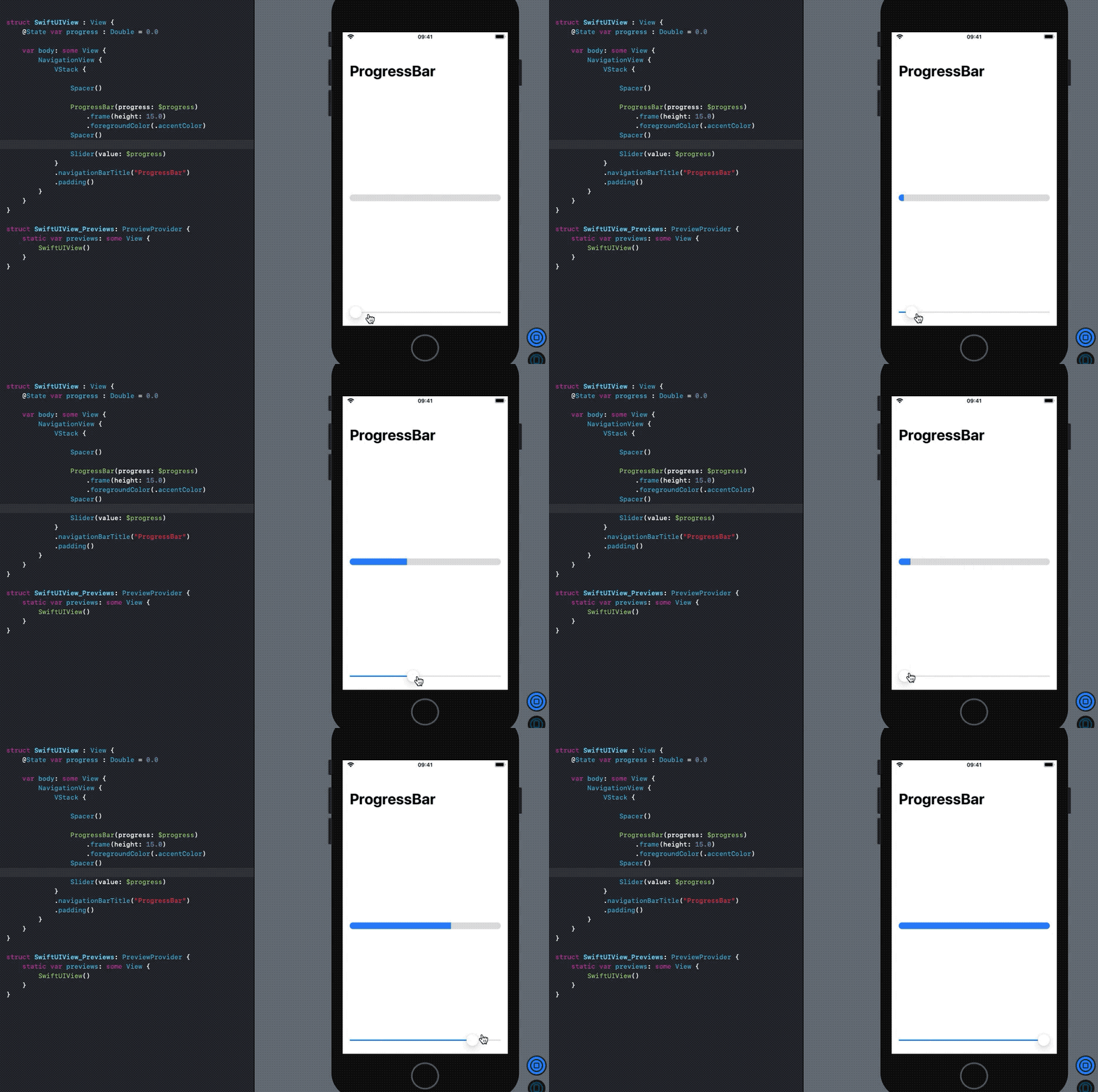
Now, this was quick and easy. Our next goal is to create a SwiftUI WebView and integrate it with the ProgressBar.
Create SwiftUI WebView by Using UIViewRepresentable Protocol
Like with ProgressBars, SwiftUI doesn’t provide a built-in implementation for displaying WKWebViews. Luckily, we can use the UIViewRepresentable protocol and leverage the UIKit-SwiftUI interoperability to build a wrapper structure for WKWebView.
| struct Webview : UIViewRepresentable { | |
| let request: URLRequest | |
| var webview: WKWebView? | |
| @Binding var progress: Double | |
| init(web: WKWebView? = nil, req: URLRequest, progress: Binding<Double>) { | |
| self.webview = WKWebView() | |
| self.request = req | |
| _progress = progress | |
| } | |
| func makeCoordinator() -> Coordinator { | |
| Coordinator(self, progress: $progress) | |
| } | |
| func makeUIView(context: Context) -> WKWebView { | |
| return webview! | |
| } | |
| func updateUIView(_ uiView: WKWebView, context: Context) { | |
| uiView.load(request) | |
| } | |
| } |
The makeUIView function is triggered when an instance of the struct above is created. Subsequently, we’ll need to use updateUIView to update the view.
You’ll notice a @Binding property defined in the structure above — progress. It’s used to update the ProgressBar state from the WKWebView page load progress that we’ll monitor.
The Coordinator class is used to handle the UIKit delegates and pass the data back to the SwiftUI view. We’re passing the Binding progress property above in this:
| class Coordinator: NSObject { | |
| @Binding var progress: Double | |
| var parent: Webview | |
| private var estimatedProgressObserver: NSKeyValueObservation? | |
| init(_ parent: Webview, progress: Binding<Double>) { | |
| self.parent = parent | |
| _progress = progress | |
| super.init() | |
| estimatedProgressObserver = self.parent.webview?.observe(\.estimatedProgress, options: [.new]) { [weak self] webView, _ in | |
| print(Float(webView.estimatedProgress)) | |
| guard let weakSelf = self else{return} | |
| //glaring issue | |
| weakSelf.progress = webView.estimatedProgress | |
| } | |
| } | |
| deinit { | |
| estimatedProgressObserver = nil | |
| } | |
| } |
The observe method requires the estimatedProgress property of the WKWebView, and we’ve used the Swift 5.2 Keypath syntax on it.
The .new argument ensures that any new progress in page load triggers the observer.
The logic is pretty straightforward. We’re setting the estimateProgress value to the Binding property, which updates the SwiftUI ProgressBar. But the line below is a glaring issue:
self.progress = webView.estimatedProgressSwiftUI gives us the following message at runtime:
Warning: Modifying state during view update, this will cause undefined behavior.Predictably, when you run the SwiftUI application above, you end up with a ProgressBar that keeps updating, as shown below:
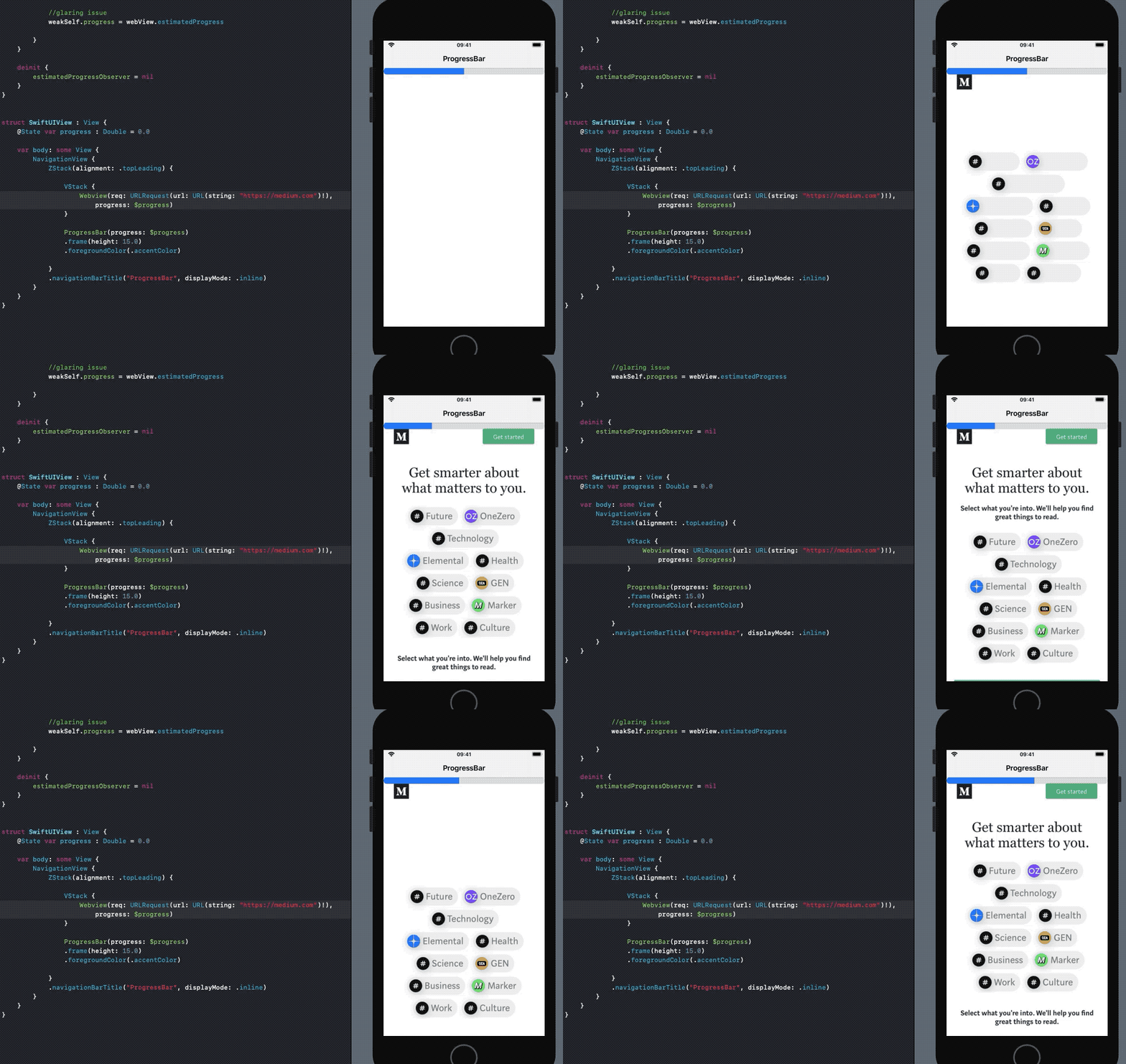
As you can see, the ProgressBar keeps showing random values and the WKWebView keeps reloading. We were modifying the State property while the view was loading, which caused the views to be re-rendered. Apple might fix this undefined behavior in the upcoming release, but until then, we need to fix the problem.
Fix Undefined Behavior Using @Published Property
The problem with the code above was we were trying to change a view’s state from another state while the view was updating, which was causing the whole body to reload.
Instead of using SwiftUI’s state-driven data flow, we can use the @Published property wrapper to update the views reactively. SwiftUI now provides built-in support for Combine’s Published property wrapper.
Let’s create a class that conforms to the ObservableObject protocol in order to publish announcements to SwiftUI:
| class WebViewModel: ObservableObject { | |
| @Published var progress: Double = 0.0 | |
| @Published var link : String | |
| init (progress: Double, link : String) { | |
| self.progress = progress | |
| self.link = link | |
| } | |
| } |
The progress property would be used to reactively update the ProgressBar and the link would set the string URL in the WKWebView loadRequest.
| struct SwiftUIWebView : UIViewRepresentable { | |
| @ObservedObject var viewModel: WebViewModel | |
| func makeCoordinator() -> Coordinator { | |
| Coordinator(self, viewModel: viewModel) | |
| } | |
| let webView = WKWebView() | |
| func makeUIView(context: Context) -> WKWebView { | |
| if let url = URL(string: viewModel.link) { | |
| self.webView.load(URLRequest(url: url)) | |
| } | |
| return self.webView | |
| } | |
| func updateUIView(_ uiView: WKWebView, context: Context) { | |
| //add your code here... | |
| } | |
| } | |
| class Coordinator: NSObject { | |
| private var viewModel: WebViewModel | |
| var parent: SwiftUIWebView | |
| private var estimatedProgressObserver: NSKeyValueObservation? | |
| init(_ parent: SwiftUIWebView, viewModel: WebViewModel) { | |
| self.parent = parent | |
| self.viewModel = viewModel | |
| super.init() | |
| estimatedProgressObserver = self.parent.webView.observe(\.estimatedProgress, options: [.new]) { [weak self] webView, _ in | |
| print(Float(webView.estimatedProgress)) | |
| guard let weakSelf = self else{return} | |
| //announce changes via Publisher instead of States and Binding | |
| weakSelf.viewModel.progress = webView.estimatedProgress | |
| } | |
| } | |
| deinit { | |
| estimatedProgressObserver = nil | |
| } | |
| } |
The properties of the WebViewModel instance we declared earlier can now be changed from the Coordinator class to update the SwiftUI view accordingly. As you can see, we’re using a Publisher to update the view reactively instead of using States and Binding, which cause problems when modifying during view updates.
The code for the SwiftUI view that holds the SwiftUIWebView above and the SwiftUIProgressBar appears below:
| struct ContentView : View { | |
| @ObservedObject var model = WebViewModel(progress: 0.0, link: "https://www.medium.com") | |
| var body: some View { | |
| NavigationView { | |
| ZStack(alignment: .topLeading) { | |
| VStack { | |
| SwiftUIWebView(viewModel: model) | |
| } | |
| if !model.didFinishLoading { | |
| SwiftUIProgressBar(progress: .constant(model.progress)) | |
| .frame(height: 15.0) | |
| .foregroundColor(.accentColor) | |
| } | |
| } | |
| .navigationBarTitle("SwiftUIWebViewProgressBar", displayMode: .inline) | |
| } | |
| } | |
| } |
In the code above, the ObservedObject publishes a double value whenever the progress property changes. But the ProgressBar requires a Binding property. So in order to convert a Double to Binding<Double> value, we use constant bindings.
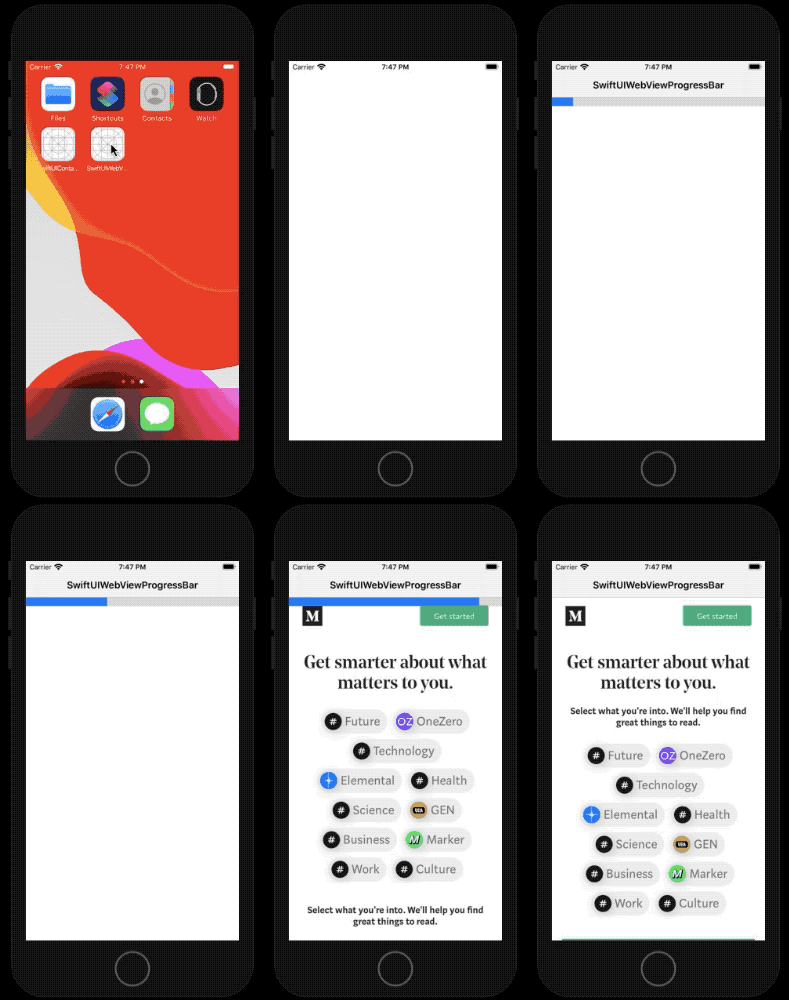
The application now works like a charm:
Closing Thoughts
SwiftUI is a state-driven framework that lets us easily create declarative user interfaces. But sometimes when you need to modify states during view updates, using the power of the Combine framework is a better idea, as it prevents rendering and reload issues.
You can find the full source code in this GitHub repository.